
Lumo by Proton
Proton AGProductivity
3.7285.00 Reviews
- Version
- 2.0.5-gms
- Installs
- 100.00K
- Age Rating
- Everyone
Screenshots
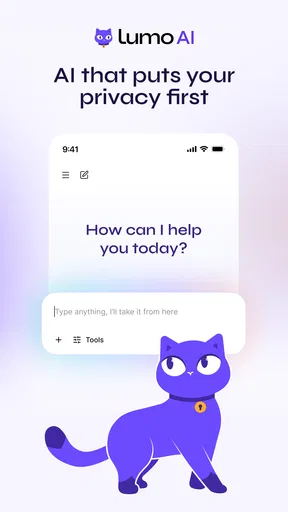
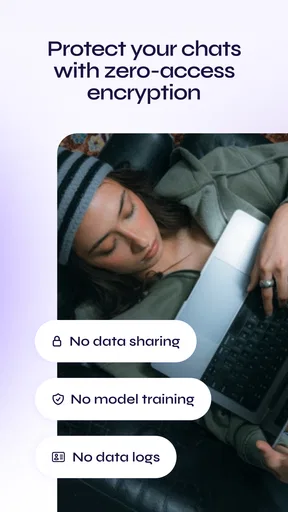
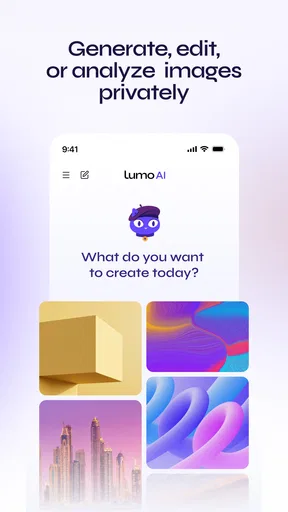




Our Review of Lumo by Proton
 Analysis by Appyee
I approached Lumo as a practical productivity tool rather than as a chatbot to open only when I feel curious. That distinction matters. Proton AG presents it as a private AI assistant, and in everyday use I found the most value when I gave it a clear job: help me turn rough thoughts into a plan, explain something in plain English, or give me a useful first draft that I could inspect and improve. It is free to start, available to everyone, and its privacy-focused identity makes it especially interesting for people who are cautious about where their questions go.
At the same time, privacy is not a substitute for good answers. Lumo still needs careful prompts, sensible checking, and realistic expectations. It is not a replacement for a search engine, a specialist research tool, or a human editor. My experience was strongest when I treated it as a fast thinking partner with boundaries, not as an authority that should make decisions for me.
How Lumo fits into a normal productivity routine
My baseline workflow was simple: I opened a conversation, stated the outcome I wanted, added the relevant context, and asked for a format I could use immediately. For example, instead of saying “help with my week,” I would explain that I had several errands, a report to outline, and limited time after work, then ask for a short order of priority with realistic next actions. That extra context made the response far more useful than a vague request.
This is where Lumo feels different from a conventional notes app. A notes app stores what I already know; this assistant helps me reorganize it. I could paste a messy paragraph and ask for a concise summary, turn a long message into a polite reply, or ask for a checklist that separates urgent work from tasks that can wait. The result was not always perfect, but it usually gave me a workable starting point faster than composing everything from an empty screen.
A realistic example is preparing for a busy Monday. I might describe three unfinished tasks, mention that one depends on a reply from another person, and ask Lumo to create a plan that avoids pretending everything can happen at once. The useful part is not merely the list. The assistant can expose the dependency and suggest what to do while waiting. I still decide whether the plan fits my actual day, but I am no longer spending the first part of the morning sorting a mental pile of loose ends.
I also found it helpful for changing the level of detail in material I had already written. A technical explanation could become a short note for a colleague, while a brief idea could become an outline with headings and questions to answer. Asking for “three options, each with one advantage and one drawback” produced a more balanced result than asking for a single recommendation. That is a small prompting habit, but it reduces the chance of accepting the first smooth-sounding answer.
The app belongs naturally in productivity because it works best around writing, planning, learning, and organizing. I would not use it as my only place for permanent records. Important information should remain in the appropriate document, calendar, task manager, or reference source. Lumo is most useful in the step before that: clarifying what I mean and deciding how to structure it.
The settings I would check before relying on it
My first recommendation is to spend a few minutes reviewing the available settings before building a routine around the assistant. With privacy-oriented software, the important question is not only whether the conversation feels private, but also whether the app behaves in a way that matches your comfort level. Look for controls related to account use, conversation handling, and personalization, then choose deliberately rather than leaving every option at its default.
I would also check the language and response preferences that are available on your device and in the app. A writing assistant can appear inconsistent when the real issue is that the request is written in one language while the desired output is assumed to be another. I got better results by stating the audience, tone, and spelling preference directly, especially when preparing messages for work or school.
Another worthwhile check is how you want to manage separate topics. I prefer keeping unrelated work in separate conversations instead of putting planning, personal questions, and drafting into one long thread. This makes it easier to return to the right context and reduces the chance that details from an earlier subject influence a later answer. It also makes reviewing old exchanges less confusing.
The current Android version is listed as 2.0.5-gms and requires Android 10 or later. That makes compatibility straightforward for many recent phones, but anyone using an older device should check the operating system before planning a switch. The app is free, while in-app purchase options range from about thirteen dollars to nearly one hundred twenty dollars per item. I would therefore examine what is included in the free experience and only consider paid options after deciding that the workflow genuinely saves me time.
The age rating is Everyone, which is appropriate for a general-purpose assistant, but that should not be confused with “suitable for every kind of information.” I would avoid entering passwords, financial credentials, confidential client material, or sensitive personal details simply because an app is designed around privacy. Good privacy habits still matter. If I need help with a private document, I first remove names, account numbers, and unnecessary identifying details.
Faster patterns that make the assistant more useful
The biggest speed improvement came from using repeatable prompt patterns instead of inventing a new request every time. My basic template is: context, goal, constraints, and output format. For example, I might write that I am replying to a customer, want to sound warm but firm, must keep the reply under a short paragraph, and need the answer in British English. That is much more efficient than asking Lumo to “make this better” and then correcting a generic rewrite.
For planning, I prefer asking for actions rather than inspiration. “Give me the next five steps, identify what blocks each step, and mark what I can do in fifteen minutes” produces something I can act on. This is more valuable than a motivational essay. It also reveals whether the assistant has understood the task, because a weak response becomes obvious when the proposed actions are too broad or depend on information I never supplied.
For writing, I use a two-pass habit. First, I ask for structure: possible headings, missing points, and a logical order. Then I provide my own draft and ask for a focused edit, such as removing repetition or making the tone less defensive. Asking for a complete finished piece immediately can be tempting, but the two-pass approach keeps my own judgment involved and usually creates text that sounds more like me.
A less obvious use is asking Lumo to challenge a plan. After creating a schedule or decision outline, I can ask it to identify hidden assumptions, unrealistic timing, and the strongest argument against the proposal. This does not make the criticism automatically correct, but it helps me notice weaknesses that are easy to miss when I am attached to my first idea. I found this especially useful for preparing meetings and comparing several approaches.
Another useful pattern is controlled comparison. Instead of asking which tool or method is “best,” I describe what matters to me, such as low cost, simple setup, offline access, or collaboration, and ask for a comparison based only on those criteria. I then verify factual claims separately. Lumo is good at organizing a decision, but organization is not proof that every detail is current.
Short follow-up prompts are also more effective than repeating the entire request. Once the context is established, I can say “make option two less formal,” “turn that into a checklist,” or “show the risks separately.” This keeps the conversation moving. However, when a thread becomes crowded with corrections and changing goals, starting a fresh conversation is often faster than trying to repair the context.
Where Lumo needs supervision
The main limitation is familiar with AI assistants: fluent writing can hide uncertainty. Lumo may produce a confident explanation that still needs checking, particularly when the subject involves current events, legal obligations, health, money, or technical details that change over time. I use it to create questions, summaries, and possible approaches, but I do not treat a polished answer as final evidence.
It can also misunderstand a request when the context is implied rather than stated. If I ask for a shorter version without saying what must be preserved, the result may remove an important qualification. If I ask for a plan without mentioning a fixed appointment, the schedule may be neat but unusable. The practical fix is to name the non-negotiables and ask the assistant to flag assumptions instead of silently filling them in.
Privacy is another area where expectations need to stay realistic. Proton AG is the developer, and the private-assistant positioning is a meaningful reason to try the app, especially for users already interested in Proton’s approach. Still, I would not use privacy language as permission to paste every sensitive record into a conversation. I keep identifying information out, review drafts before sharing them, and use the app for transformed or generalised material whenever possible.
Lumo is not the strongest choice for every productivity problem. A dedicated task manager is better for recurring reminders, due dates, notifications, and long-term project tracking. A spreadsheet is better for calculations and structured data. A search engine or primary source is better when I need current links, citations, or direct verification. A grammar editor may be better for polishing a final document line by line. Lumo can sit before or beside these tools, but it does not replace their specialised strengths.
I would also skip it if I wanted a fully automatic workflow with no review. The assistant can prepare a draft schedule or transform text, but I still need to confirm that the result reflects my priorities. People who dislike conversational interfaces may find a traditional notes or task app faster for simple capture. Likewise, if the only need is storing a shopping list, adding an AI layer may create unnecessary friction.
The public response gives a useful signal rather than a definitive verdict: Lumo has an average rating of about 3.7 from around 2,900 ratings, with roughly 285 written reviews and over 100,000 installs. I read that as a product with real interest but also room for refinement. The numbers do not change my own conclusion, but they do suggest that potential users should try the workflow themselves instead of assuming that the privacy angle alone guarantees a perfect experience.
Who will get the most from it
I think Lumo suits people who regularly face a blank page, an overfull list, or a complicated idea that needs breaking down. Students can use it to turn lecture notes into questions for revision, provided they check the explanations. Freelancers can use it to draft client updates and organise project steps. Office workers can use it to prepare meeting agendas, rewrite awkward messages, or identify decisions that still need an owner.
It is also a good fit for anyone who wants an AI assistant but feels uncomfortable choosing a service solely for convenience. Proton AG’s identity gives the app a clear point of difference in a crowded category. That does not remove the need for careful use, but it makes the privacy question part of the product experience rather than an afterthought.
I would be more cautious about recommending it to someone who needs guaranteed factual precision, advanced document management, or a complete project system. In those cases, the assistant may still help with preparation, but another tool should remain in charge of the authoritative record. The same applies to high-stakes decisions: use Lumo to clarify what to ask and how to think, then rely on qualified sources and professionals.
My verdict after building a repeatable habit
After using Lumo with a consistent method, I found it more useful than its brief store summary suggests. Its strength is not that it magically completes productivity for me. Its strength is the small amount of friction it removes between a vague thought and a usable next step. Clear prompts, separate conversations, privacy-conscious input, and a habit of checking important claims make a noticeable difference.
The best way to use Lumo is as a private-minded first draft and thinking partner, not as the final authority. That balance captures both its appeal and its limits. I would recommend trying the free app if you want help with planning, rewriting, summarising, or exploring options, especially if Proton’s privacy focus matters to you. Give it a real task rather than a casual test, compare the result with your usual workflow, and decide whether the time saved justifies adding another tool.
Lumo is free, rated for Everyone, and designed for Android users on Android 10 or later. Its current version, 2.0.5-gms, shows that it is an actively presented app rather than an abandoned experiment, while the optional purchases mean I would evaluate the free experience before spending anything. For me, the final judgment is positive but measured: it earns a place in a productivity routine when I stay specific, keep sensitive details out, and verify anything important.
That is why I would recommend Lumo to a friend who wants help thinking and writing without handing over control of the work. I would not recommend it as a substitute for a calendar, task manager, search source, or expert advice. Used within those boundaries, it becomes a practical daily assistant—quick to consult, flexible enough for many small jobs, and most valuable when paired with disciplined habits rather than blind trust.
Verdict
Strengths of Lumo by Proton
- End-to-end encryption helps keep chats private from Proton and third parties.
- No account is required to try the basic chat experience.
- Clean interface makes switching between conversations quick and simple.
- Supports file and image sharing within conversations.
- Proton’s privacy-focused reputation adds confidence for sensitive discussions.
Limitations of Lumo by Proton
- Some advanced features may require a paid Proton subscription.
- AI responses can occasionally be inaccurate or lack useful context.
- Limited integrations compared with mainstream AI assistant apps.
- Requires an internet connection for most conversations and features.
- Privacy protections do not prevent users from entering sensitive data unnecessarily.
Other Releases by Proton AG
View All
Proton VPN: Secure & Fast VPN
Tools4.7

Proton Mail: Encrypted Email
Communication4.5

Proton Pass: Password Manager
Productivity4.8
Similar Picks in This Category
View All
Google Calendar
Google LLC4.6

Google Drive
Google LLC4.3

Google Assistant
Google LLC3.9

Microsoft OneDrive
Microsoft Corporation4.6

Samsung Calendar
Samsung Electronics Co., Ltd.4.1

Microsoft OneNote: Save Notes
Microsoft Corporation4.6
Frequently Asked Questions
What is Lumo by Proton?
Lumo is an AI assistant developed by Proton, the privacy-focused company behind Proton Mail, Proton VPN, and other encrypted services. It can answer questions, summarize text, help with writing, brainstorm ideas, and analyze uploaded documents. Unlike many AI assistants, Lumo is designed around privacy, with Proton emphasizing limited data collection and protection from using conversations to train its models.
Is Lumo by Proton private and secure?
Privacy is one of Lumo’s main advantages. Proton states that chats are protected with strict privacy practices and that conversations are not used to train the underlying AI models. The service is also designed to minimize personal-data collection. However, users should still avoid entering passwords, financial details, confidential business information, or sensitive personal data, because no online AI service should be treated as a completely risk-free private vault.
Can Lumo analyze files and documents?
Yes, Lumo can be useful for working with supported documents and other uploaded files. You can ask it to summarize content, extract key points, explain difficult passages, or help reorganize information. File availability, size limits, and supported formats may depend on the current version of the service and your plan. Always check the upload screen before relying on it for large or specialized files.
Is Lumo free to use, and are there paid features?
Lumo offers access without requiring every user to begin with a paid subscription, making it possible to test its basic AI features before committing. Proton may also provide subscription options with higher usage limits, additional capabilities, or priority access. Pricing and included features can change, so prospective users should review the current details in the official app listing or Proton’s website before downloading or subscribing.
Does Lumo provide accurate answers?
Lumo can produce helpful, natural-sounding responses, but it may still make mistakes, misunderstand questions, or present incorrect information confidently. Its answers should be checked when dealing with medical, legal, financial, academic, or professional subjects. Treat the assistant as a research and productivity tool rather than an unquestionable authority, and verify important claims using reliable primary sources before acting on them.
